01 / Context
I worked on two internal applications for LPPOM during my internship at PT Ragdalion Revolusi Industri.
The first is a Customer Relationship Management (CRM) module, which keeps customer information and interactions in order. The second is a Quotation Order Management (QOM) module, which follows each quotation until it becomes an order.
02 / Problem
Two business processes, each with a lot of information and many states.
- CRM
- It needed a clear overview of customer information, with details available when needed.
- QOM
- A quotation moves through several stages before it becomes an order. Users needed to see where each one stands.
- Business data
- Tables, forms and status indicators held a lot of information.
- Two modules
- They had to feel like one system, while each kept its own workflow.
03 / My role
I was a UI/UX designer intern on the project team.
- UI design
- I designed and iterated on the UI for the CRM and QOM modules.
- User flows
- I mapped end-to-end user flows and turned them into high-fidelity interactive prototypes in Figma.
- Collaboration
- I worked with Business Analysts and Software Developers to align the design with the business requirements.
- Benchmarking
- I ran competitor benchmarking.
04 / Process
Understand the business process before the screens.
- 01
Start with the business process.
I worked out how information moves through each module, what users need at each stage, and which actions matter most.
- 02
Map the flows end to end.
I mapped the CRM and QOM flows from start to finish, then turned them into prototypes.
- 03
Check with BAs and developers.
I reviewed the flows and prototypes with the Business Analysts and developers, so the design matched the requirements and could be built.
- 04
Iterate.
I refined the interfaces based on their feedback.
05 / Solution
Dashboards for the sales team, clear forms for the data, and clear stages for quotations.
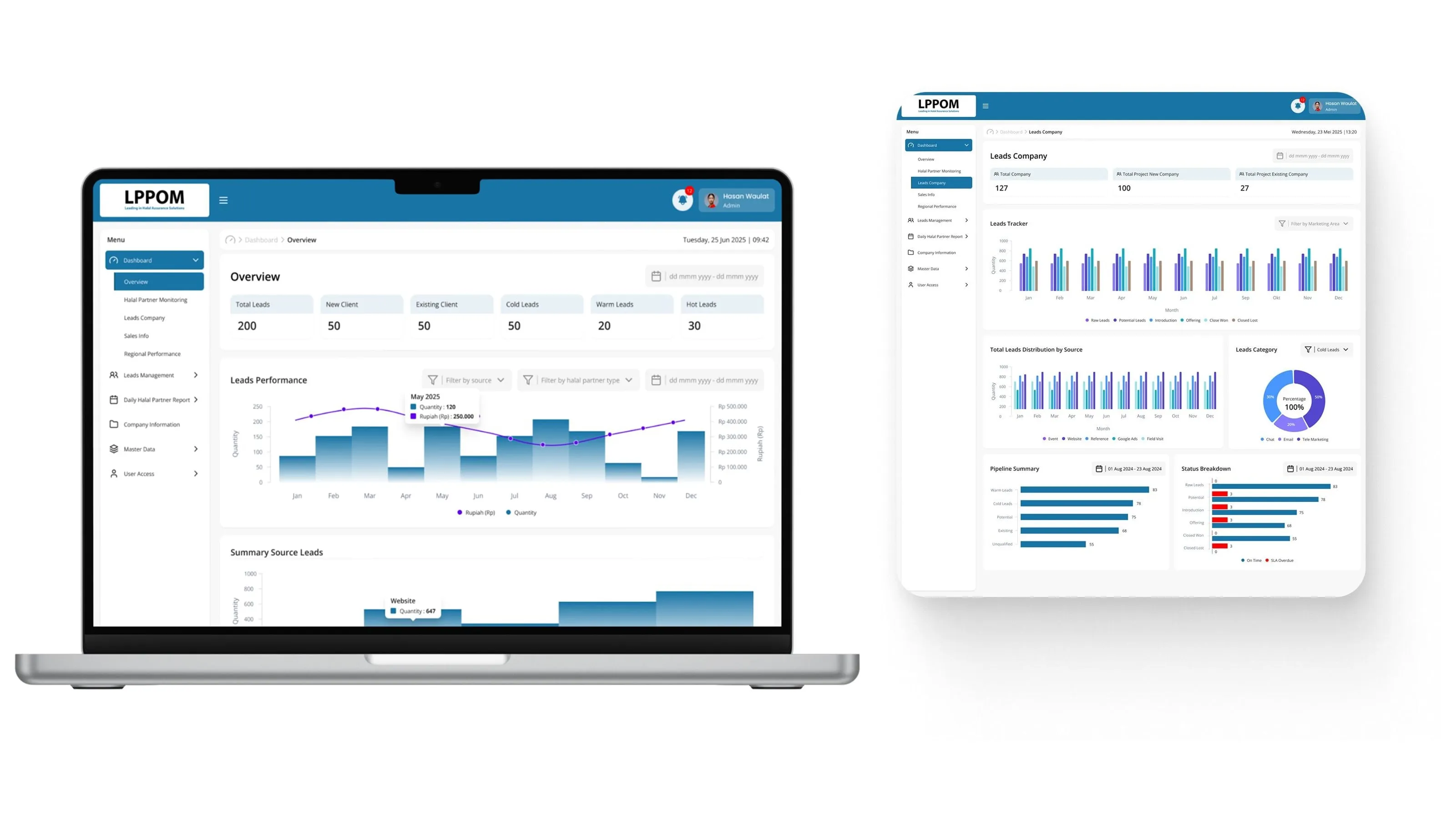
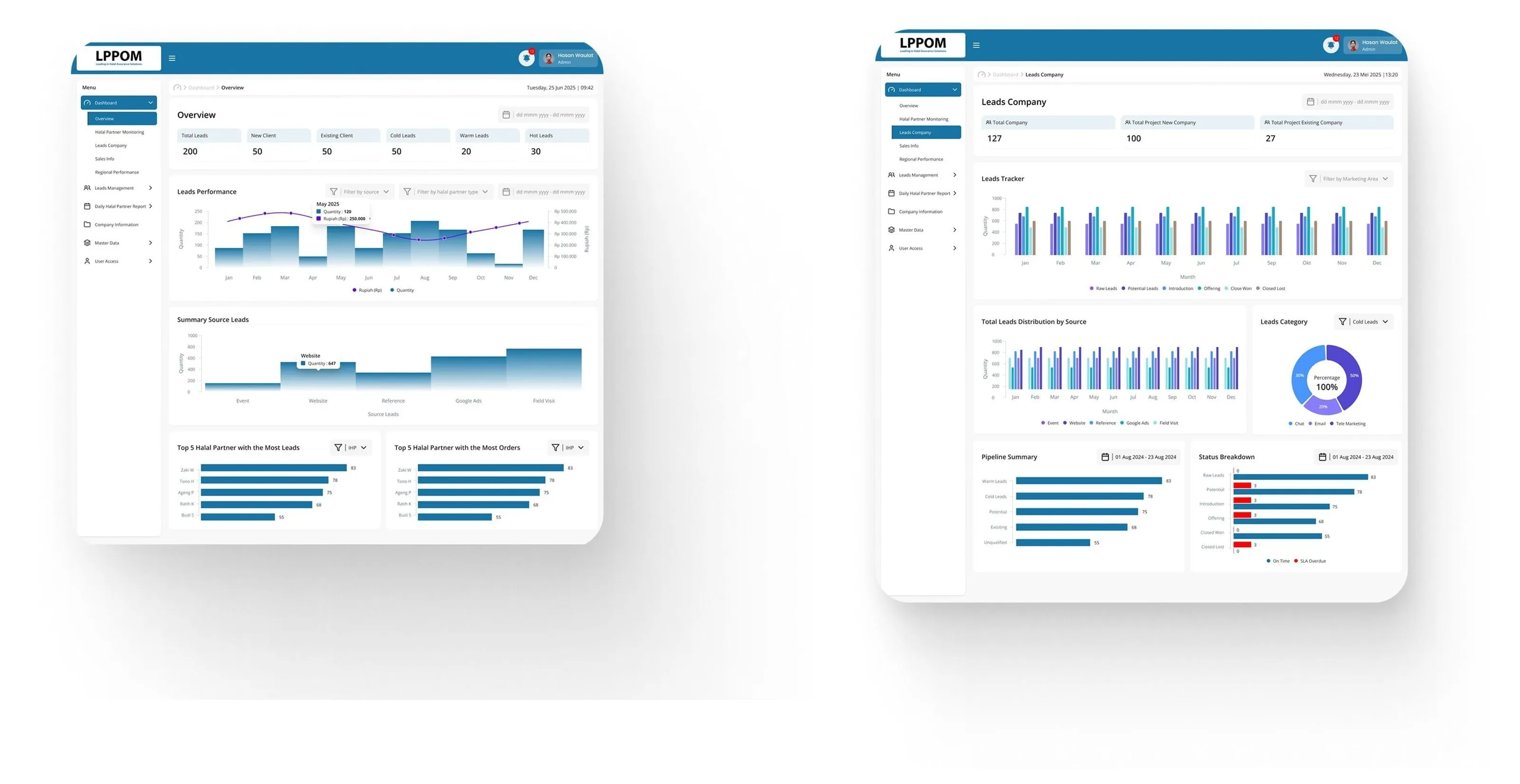
Dashboards for leads and halal partners.
The Overview shows total leads split into new and existing clients and cold, warm and hot leads, with leads performance per month, leads by source, and the top halal partners. Leads Company follows each lead through the pipeline, from raw leads to closed won or lost, with SLA status per stage.
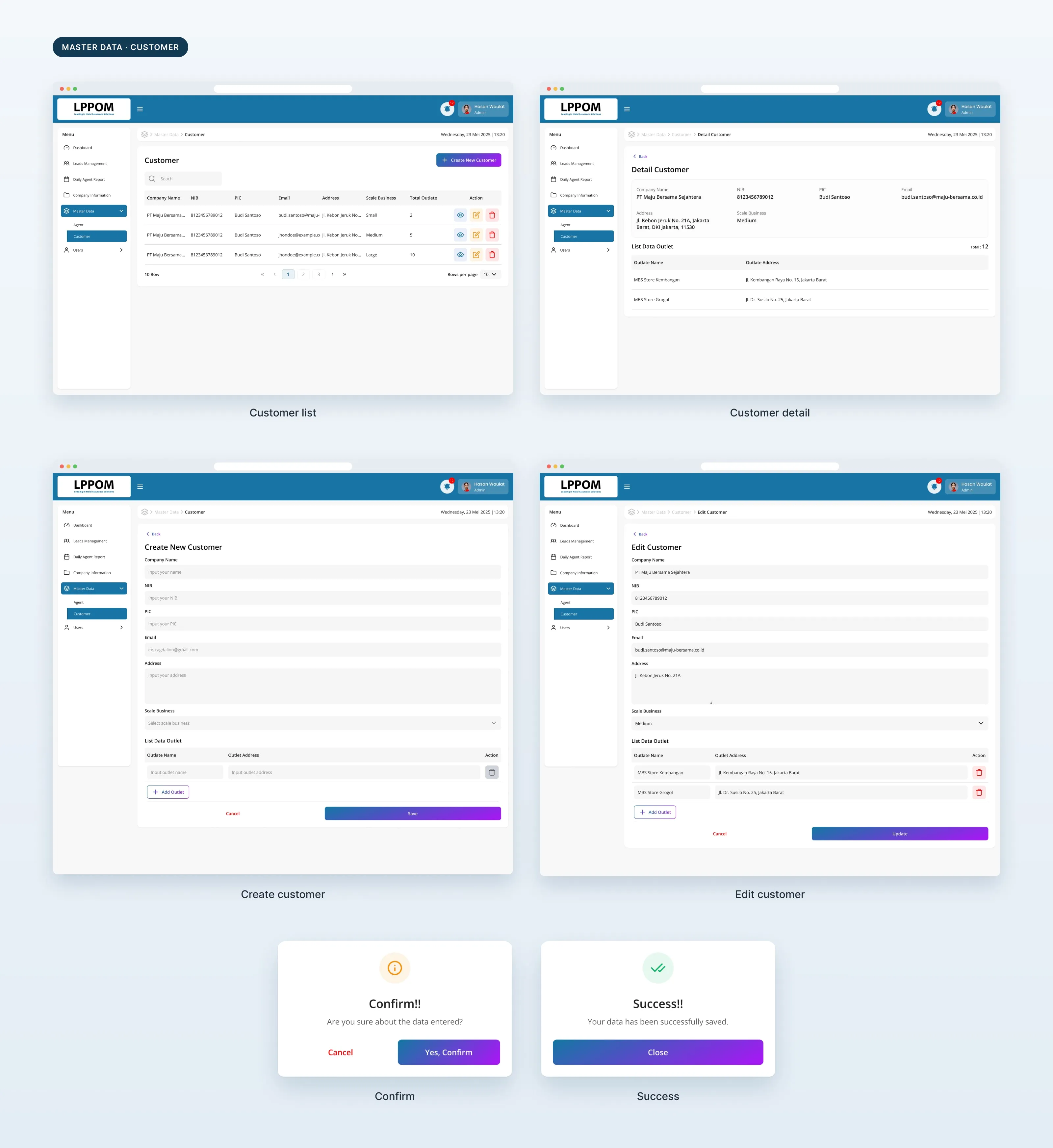
Customer data, from list to detail.
Master data for customers follows one pattern: a list with search and actions, a detail page with outlets, and create and edit forms. Confirm and success pop-ups close every change.
QOM: a clear path from quotation to order.
Each quotation shows its current stage, the important information for that stage, and the actions available next. The QOM design files are no longer available, so this module has no screens here.
Readable data.
Tables, forms, status indicators and actions follow one visual hierarchy, so users can see what needs attention.
Shared patterns.
Navigation, data presentation, forms, actions and workflow states use the same patterns in both modules, while each module keeps its own process.
06 / Result
What I handed over.
2
modules: CRM and QOM
4
months in the team
1
set of shared UI patterns
- Prototypes
- End-to-end user flows turned into high-fidelity Figma prototypes.
- Team
- Designed together with Business Analysts and developers.
What I took from it
Start with the business process.
Good enterprise UX starts with the process behind the interface. The same pattern does not fit every workflow just for the sake of consistency.